Count bookings before you buy a click
Google's bidding looks for more of whatever you count. If you count nothing, it buys clicks from people pricing clippers.
A conversion is the action you want from a click. For a groomer, that is a phone call, a booking request or an online booking.
- In Google Ads, open Goals, then Conversions, and create a new conversion action.
- Add one for calls from your ads and one for calls from your website, with a minimum call length.
- Add one for your booking form or online booking, counted when it is completed.
- Mark these as primary, which tells bidding to use them. Mark the rest as secondary.
- Make a test call and a test booking. Both should appear in Google Ads within a day.
Then note what each lead became. Did they book? Did the dog show up? Did they rebook? A regular who comes every six weeks is the client you are paying to find. A simple list is enough. Once you have steady volume, you can upload the booked leads to Google Ads so bidding learns from real appointments.
Settings that keep ads near your salon or your van's run
Three settings to fix first.
- Search only. In campaign settings, open Networks. Untick Search Partners and untick the Display Network. You want to appear on Google Search for "dog groomer near me".
- People who are in your area. Open Locations. For a salon, add the zip codes within a short drive. For a van, add the neighborhoods on its run. Then open Location options and choose "Presence: people in or regularly in your included locations".
- Auto-apply off. Open Recommendations, find Auto-apply and turn off every box, so Google can't add keywords or change bidding without asking.
Owners rarely drive far for a groom, and a van that crosses town for one dog loses the morning. Keep the area small.
Set the schedule to when you can answer or reply fast. Groomers often have wet hands, so make online booking or a short form easy, and return missed calls at the next break.
How to structure the campaign: van and salon apart
An ad group is a set of keywords that share the same ads. Give each service its own ad group and landing page.
If you run both a van and a salon, put each in its own campaign. A campaign has one area and one budget, and the two services cover different ground.
| Ad group | Example searches | Landing page |
|---|---|---|
| Dog grooming (salon) | dog groomer near me, dog grooming salon | Your salon page |
| Mobile grooming | mobile dog grooming, mobile groomer near me | Your mobile page |
| Puppy grooming | puppy grooming, puppy first groom | Your puppy page |
| Doodles and long coats | doodle groomer, poodle grooming | Your breed page |
| Cat grooming | cat groomer near me, cat grooming | Your cat page |
| Bath and nails | dog nail trimming, dog bath service | Your bath and nails page |
Build only what you offer and want more of. A nail trim alone is a very small job, so many groomers leave it out of the ads and offer it to clients who come in.
Keywords a dog owner types when the coat is overdue
A keyword is the phrase you give Google. A search term is what the person typed. You pay for the search term.
Owners ready to book name the service and usually add "near me":
- dog groomer near me
- dog grooming near me
- mobile dog grooming
- puppy grooming
- pet groomers near me
- cat groomer near me
Add your town or neighborhood to a few. Keep each ad group short.
Match types control how loosely Google matches:
- Exact match shows your ad for that search or one with the same meaning.
- Phrase match shows your ad when the search includes the meaning of your phrase, with words around it.
- Broad match shows your ad for anything Google thinks is related. For grooming that means clippers, courses and how-to videos. Leave it off.
Start with phrase and exact match. Each week, see which search terms became bookings and add them as exact match keywords in the right ad group.
Searches a groomer should block from day one
A negative keyword is a word you block. Add these at the account level before the ads start:
- Students: course, school, class, training, certification, academy.
- Job seekers: jobs, hiring, salary, apprenticeship.
- Gear shoppers: supplies, clippers, scissors, shampoo, table, dryer, kit, for sale.
- DIY: how to, diy, at home, video, tips.
- Self-serve: self serve, self wash, if you don't run one.
- Other animals and services you don't offer: for example horse, boarding, daycare, training.
- Big chain names, if you don't want people searching for them.
Take care with "at home". It blocks "how to groom a dog at home", but a mobile groomer wants "dog grooming at home". If you run a van, skip that one and block "how to" instead.
Add each as a phrase match negative, cut down to the core word.
Then check the search terms. Every day or two for the first two weeks, weekly after:
- Open the search terms report under Insights and reports.
- Sort by cost, highest first.
- Ask of each search: is this an owner who wants to book a groom with me?
- If not, block the core word.
Ads that fill the grooming table
A responsive search ad takes up to 15 headlines and 4 descriptions. Google mixes them. Fill in as many as you can.
- Say the service: "Dog Grooming Salon", "Mobile Dog Grooming at Your Door".
- Say the area: your town or neighborhood.
- Say what owners care about, if true: gentle with nervous dogs, one dog at a time, experienced with doodles, appointments this week.
- End each description with the next step: "Book online or call today."
Each ad group gets its own ad. The puppy ad talks about a calm first groom. The mobile ad talks about the van coming to the house. After a few weeks, add a second ad to each and let them compete.
Then add the extras, called assets:
- Call asset: your number on the ad, tap to call.
- Sitelinks: at least four, such as "Book a Groom", "Puppy Grooming", "Prices" and "Before and After".
- Callouts: short phrases such as "Gentle Handling", "All Breeds Welcome" and "Nail Trim Included", if true.
- Images: a clear before and after of a dog gets attention.
The landing page: one service, one happy dog
Owners want to see that their dog will be safe and come home looking good.
- The headline matches the search. A "puppy grooming" ad lands on a page headed puppy grooming.
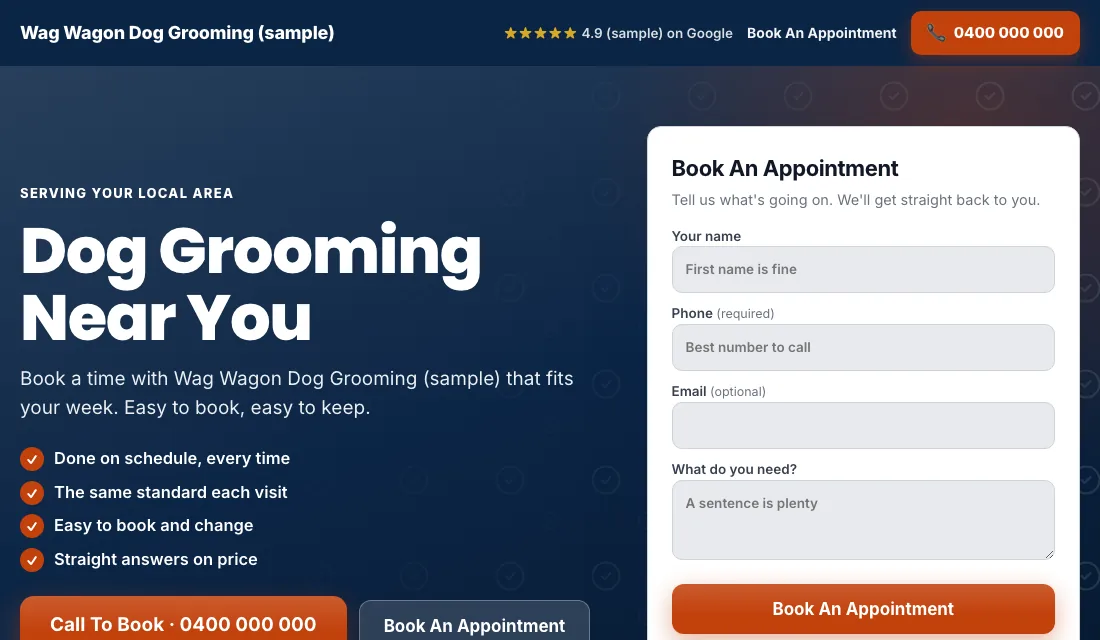
- Phone number at the top, tap to call.
- A booking form or button near the top: name, phone, breed and what they want done.
- Before and after photos of dogs you have groomed. The matted coat, then the tidy trim.
- A photo of you and your salon or van.
- Reviews near the top.
- A plain line on price range, how long a groom takes, and vaccination requirements if you have them.
- No menu and no links leading away.
- Fast on a phone.
Google scores how well the keyword, ad and page match. A closer match earns a better score and a lower price per click.
Budget and bidding for a grooming business
Set the budget from your own calendar. How many new clients can you take a month? What can you pay for a lead, given how many rebook? Multiply, and fund it for a couple of months.
Bidding moves in stages:
- Start on Maximize Conversions. Once tracking works, launch on this. Google bids toward calls and bookings. Give it two or three weeks.
- If a new account won't spend. As a fallback, use Maximize Clicks with a cap on the bid per click. Go back to Maximize Conversions when bookings arrive.
- A target cost per lead. After about 30 conversions in 30 days, set a target, which Google calls Target CPA. Start it 15 to 20 percent above what a lead has been costing. Too tight a target makes Google stop spending. Lower it a little each month while bookings hold.
A small grooming business may take a while to reach 30 conversions in a month. That is fine. Stay on Maximize Conversions until you do. Don't bid by hand.
How to run Google Ads for pet grooming week by week
Every week:
- Check the search terms. Block courses, gear and DIY searches.
- Add searches that became bookings as exact match keywords.
- Mark each lead: booked, showed up, rebooked or junk.
- Look at next week's open slots. If the book is full, lower the budget.
Every month:
- Count how many new clients from ads rebooked.
- Compare cost per booking across ad groups.
- Pause an ad group that spends and never books.
- Add new before and after photos.
- Test the phone number and the booking form.
Shedding season, summer clips and the holiday rush
Grooming has a steady base and a few clear peaks.
- Spring: winter coats shed, and owners want a tidy-up. Start the ads before the first warm weeks.
- Early summer: short clips for the heat. Long-coated breeds book in.
- Before the winter holidays: owners want the dog clean for visitors and photos. These weeks fill early, so advertise them a month ahead, then pull back once you are full.
- After the holidays: quieter. A good time to win new regulars with open slots.
- New puppy season: many puppies come home in spring and after the holidays, and need a first groom a few months later.
Or have software do all of this
That is how to run Google Ads for pet grooming by hand: count every booking, keep the ads near your salon or your van's run, give each service its own ad group and page, block the course and gear searches weekly, and step the bidding up as data grows. It works, and it takes time you could spend grooming.
Local Service Ads AI does these steps every morning. Suggested changes wait for your tap, and each has an Undo button. See Google Ads for pet grooming.