First job: track every call and quote request
Google bids toward what it can count. If it can't count your leads, it buys whatever clicks cost least, and those are rarely customers.
A conversion is what you want a click to turn into. For a handyman, that is a phone call or a quote form.
- In Google Ads, go to Goals, then Conversions, and create a conversion action.
- Add calls from your ads and calls from your website.
- Set a minimum call length, so a wrong number isn't counted as a lead.
- Add your quote form, counted when it is sent.
- Mark these primary. Mark everything else secondary.
- Test with a call and a form, and check both arrive in Google Ads within a day.
Keep a lead list too. For each one, note: could you quote it, did it book, how many jobs were on the list, and has the customer called again? Handyman work is a repeat business. The customer who rings you three times a year is the one you want more of. Once you have steady volume, upload the booked leads so Google's bidding learns from real jobs.
Account settings that keep jobs close together
- Search only. Under Networks, untick Search Partners and the Display Network. Your ad belongs on Google Search and nowhere else for now.
- A tight area, presence only. Under Locations, add the zip codes within a short drive. Small jobs only pay when they are near each other. Then under Location options, select "Presence: people in or regularly in your included locations". The default includes people who merely showed interest in your area.
- Auto-apply off. Under Recommendations, open Auto-apply and untick every box.
Set your ad schedule to the hours you can answer or call back quickly. People with a small job tend to book the first person who picks up.
How to run Google Ads for handyman jobs: one ad group per job type
An ad group is a set of keywords that share the same ads. Give each kind of job its own, with its own landing page. A furniture assembly search should never see a gutter ad.
| Ad group | Example searches | Landing page |
|---|---|---|
| Handyman, general | handyman near me, local handyman | Your main handyman page |
| Furniture assembly | furniture assembly service, flat pack assembly | Your assembly page |
| Picture and TV hanging | tv mounting service, picture hanging service | Your hanging and mounting page |
| Door and drywall repairs | door repair handyman, drywall repair near me | Your repairs page |
| Gutter cleaning | gutter cleaning near me | Your gutter page |
| Rental property maintenance | rental property maintenance, property maintenance handyman | Your property manager page |
Pick the four or five jobs you do most and want more of. You can't build an ad group for every odd job, and you don't need to. The general ad group catches the rest.
Rental property maintenance is worth its own ad group and its own budget. The reader is a property manager with twenty rentals, not a homeowner with a sticking door.
Keywords: what a customer with a job list types
A keyword is the phrase you give Google. A search term is what the person typed.
Ready-to-hire searches:
- handyman near me
- handyman services [your city]
- furniture assembly service
- tv mounting service
- drywall repair near me
- door repair handyman
Match types:
- Exact match shows your ad for that search or one meaning the same.
- Phrase match shows it when the search includes your phrase's meaning with other words.
- Broad match shows it for anything Google thinks is related. For "handyman" that is a very wide net. Leave it off.
Start on phrase and exact. Every week, add the search terms that became booked jobs as exact match keywords in the right ad group.
Searches a handyman should block from day one
A negative keyword blocks a search. Add these at the account level before any ad runs:
- Job seekers: jobs, hiring, wanted, salary, careers, employment.
- Students and starters: course, training, license, certification, start a business, business cards.
- DIY: how to, diy, video, instructions, tutorial.
- Shoppers: tools, tool kit, for sale, rental, home depot, lowes.
- Apps and marketplaces: app, taskrabbit, angi, thumbtack, craigslist. Those people are looking for a website, not you.
- Trades you don't do: electrical, plumbing, roofing, hvac, or whatever you turn away.
- Other handyman companies' names.
Add each as a phrase match negative, cut to its core word. "Wanted" blocks "handyman wanted". "Jobs" blocks "handyman near me jobs".
Then keep checking. Every day or two for the first two weeks, weekly after that:
- Open the search terms report under Insights and reports.
- Sort by cost, highest first.
- Ask: would I want that call?
- If not, block the core word. If it is a job you don't take, block that too.
Writing the ads
A responsive search ad takes up to 15 headlines and 4 descriptions.
- Say the job: "Local Handyman", "Furniture Assembly Service", "TV Mounting".
- Say the area: your city or neighborhood.
- Say why you: insured, shows up on time, no job too small, fixed prices on common jobs. Only if true.
- End with an action: "Call or send your job list today."
One ad per ad group, about that job. After a few weeks, write a second and let them run against each other.
Add the extras, called assets:
- Call asset: your number, for tap-to-call.
- Sitelinks: four or more, such as "Get a Quote", "Jobs We Do", "Reviews" and "Property Managers".
- Callouts: "Insured", "On Time", "One Visit, Many Jobs".
The landing page: one kind of job per page
Send each ad group to its own page.
- The headline matches the search. "TV mounting service" lands on a TV mounting page.
- Phone number at the top, tap to call.
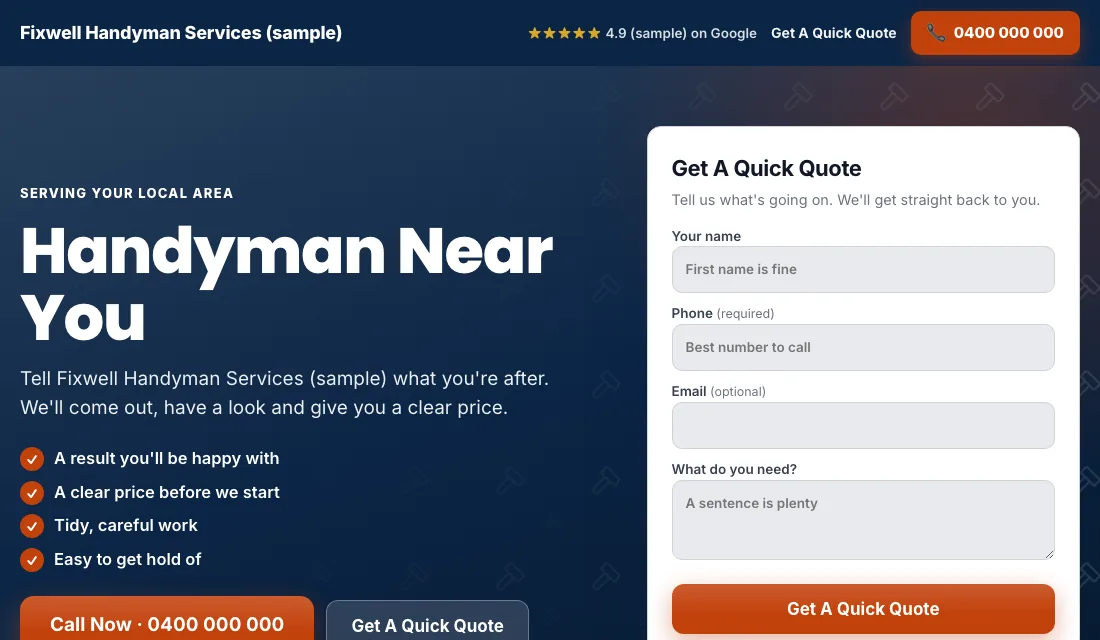
- A short quote form without scrolling: name, phone, address, and a box for the job list. A way to add a photo helps.
- Real photos of you and your work. People are inviting you into their home.
- Real reviews.
- A plain line about your minimum charge or call-out fee. It saves both sides a wasted call.
- For the property manager page: how you handle invoices, keys and tenant access.
- No menu and no links away.
- Fast on a phone.
Google scores the match between keyword, ad and page. A higher score means cheaper clicks, which matters when the job is small.
Budget and bidding for small jobs
Work out the budget from leads needed times what a lead can cost you, counting repeat work. Then:
- Maximize Conversions from the start. With tracking in place, Google bids toward calls and forms. Give it two to three weeks.
- If a new account won't spend. Switch to Maximize Clicks with a cap on the bid per click. Return to Maximize Conversions once leads arrive.
- A target cost per lead. After about 30 conversions in 30 days, set a Target CPA 15 to 20 percent above your recent cost per lead. Too tight and Google stops spending. Lower it a little each month as long as leads keep coming.
Don't bid by hand, and don't change things on a week of data.
Your weekly and monthly routine
Weekly:
- Check search terms and block junk.
- Add searches that became jobs as exact match keywords.
- Mark each lead quoted, booked or junk.
- Call back fast. Small-job customers book whoever answers first.
Monthly:
- Compare cost per lead and cost per booked job for each job type.
- Pause a job type that spends and doesn't book, or that books jobs too small to pay.
- Test tracking with a call and a form.
- Check each page loads and shows the right number.
- Review bidding stage and budget.
Seasons and timing for handyman work
- Spring: the big one. Decks, fences, doors, screens and everything people noticed over winter.
- Fall: gutter cleaning, weather sealing and repairs before the cold.
- Before the holidays: guests are coming, so shelves, pictures, TVs and furniture assembly spike.
- Summer: outdoor repairs and move-in or move-out lists.
- End and start of each month: property managers turning over rentals between tenants.
Move budget toward the job type that fits the season. Gutter cleaning gets more in fall, assembly and hanging get more in November and December.
Or have software do all of this
That is how to run Google Ads for handyman work by hand: track every lead, keep the area tight, one kind of job per ad group, block the job seekers and DIY-ers, and tighten bidding as the data grows. It takes time each week that you could be billing.
Local Service Ads AI does these checks every morning and waits for your OK on each change, unless you tell it to go ahead. See Google Ads for handymen.