Before you spend: count inquiries and sign-ups
Google's bidding chases what it can see. If it sees nothing, it buys cheap clicks, and for a gym those are people looking for treadmills, trainer courses and front desk shifts.
A conversion is the action you want after a click. For a gym, that is a call, a trial or tour request, or an online sign-up.
- In Google Ads, open Goals, then Conversions, and add a conversion action.
- Add your trial or tour form, counted when it is sent.
- If people can join online, add the finished sign-up as its own conversion. Your membership software's support can tell you how.
- Add calls from ads and from your website, with a minimum call length.
- Mark these primary, so bidding uses them. Timetable views and map clicks go to secondary.
- Test each one yourself.
Next, keep a list of every inquiry and mark whether they came in, and whether they joined. A form is not a member. Once you have steady numbers, upload the ones who joined to Google Ads. Then bidding learns which searches bring members, not just people who filled in a form and never showed.
Account settings for a business people drive to
- Search only. Under Networks, untick Search Partners and the Display Network.
- A short drive, presence only. Under Locations, add the zip codes near the gym, or set a radius around your address. Keep it to the distance people will really travel three times a week. Under Location options, choose "Presence: people in or regularly in your included locations". "Regularly in" matters here, because it includes people who work near you.
- Auto-apply off. Under Recommendations, open Auto-apply and untick every box. Otherwise Google may add keywords and change bidding without asking.
For the schedule, gym searches happen early, late and on Sunday nights when people plan their week. If your page takes sign-ups or trial requests, let the ads run through those hours.
Structure: one ad group for each way to join
An ad group is a set of keywords that share the same ads. A 24/7 membership, group classes and a reformer studio are three different sells. Each needs its own ads and its own page.
| Ad group | Example searches | Landing page |
|---|---|---|
| Gym membership | gym near me, gym membership | Your membership page |
| 24 hour access | 24 hour gym, 24/7 gym near me | Your 24/7 access page |
| Group classes | fitness classes near me, hiit classes | Your classes page |
| Reformer pilates | reformer pilates, pilates studio near me | Your reformer page |
| Personal training | personal trainer near me, personal training gym | Your personal training page |
Build only what you offer. A "24 hour gym" search that lands on a class timetable is a wasted click, and so is an ad group for a service you don't have.
Keywords: what someone ready to join types
A keyword is the phrase you give Google. A search term is what the person typed.
Searches from people about to join:
- gym near me
- gym membership [your city]
- 24 hour gym
- fitness classes near me
- reformer pilates near me
- personal trainer near me
Match types:
- Exact match shows your ad for that search or its close meaning.
- Phrase match shows it when the search includes your phrase's meaning with other words.
- Broad match shows it for anything Google thinks is related, such as workout plans and home equipment. Leave it off.
Start with phrase and exact. Each week, see which search terms became members and add them as exact match keywords.
A word on other gyms' names. People search big chains by name all the time. Those searchers have mostly decided. Block the names of chains near you unless you have a clear reason to go after them.
Searches from people who will never join
A negative keyword blocks a search. Add these at the account level before the first click:
- Job seekers: jobs, hiring, salary, careers, receptionist.
- Students: course, certification, become a personal trainer, instructor training.
- Equipment shoppers: equipment, for sale, used, treadmill, weights, dumbbells, home gym.
- Workout advice: how to, workout plan, exercises, routine, video.
- Business buyers: gym for sale, franchise.
- Things that aren't your kind of gym: jungle gym, gymnastics, climbing, if you don't offer them.
- Existing members of other gyms: login, cancel membership, customer service.
Add each as a phrase match negative, cut to its core word. "Equipment" blocks every equipment search at once.
Don't block "free" or "trial" if you offer a trial. Don't block "cheap" without thinking either. Some gyms want the price-led member and some don't.
Check your search terms every day or two at first, then weekly:
- Open the search terms report under Insights and reports.
- Sort by cost.
- Ask: could this person walk through the door and join?
- If not, block the core word.
Writing the ads
A responsive search ad takes up to 15 headlines and 4 descriptions.
- Say what it is: "24 Hour Gym", "Reformer Pilates Classes".
- Say where: your neighborhood, or the landmark you're next to.
- Say what's different: no lock-in contract, open all hours, small classes, childcare. Only what is true.
- Give a first step: "Book a free tour" or "Claim a trial pass."
One ad per ad group to begin. After a few weeks, add a second and see which wins.
Add the extras, called assets:
- Sitelinks: four or more, such as "Timetable", "Membership Options", "Book a Tour" and "Personal Training".
- Callouts: "No Lock-In Contract", "Open 24/7", "Free Parking".
- Call asset: your number, for people who would sooner ask a question.
- Location asset: link your Google Business Profile so your address shows on the ad. For a gym, how near you are is half the pitch.
The landing page: one offer per page
Each ad group needs its own page.
- The headline matches the search. "24 hour gym" lands on a page about 24/7 access.
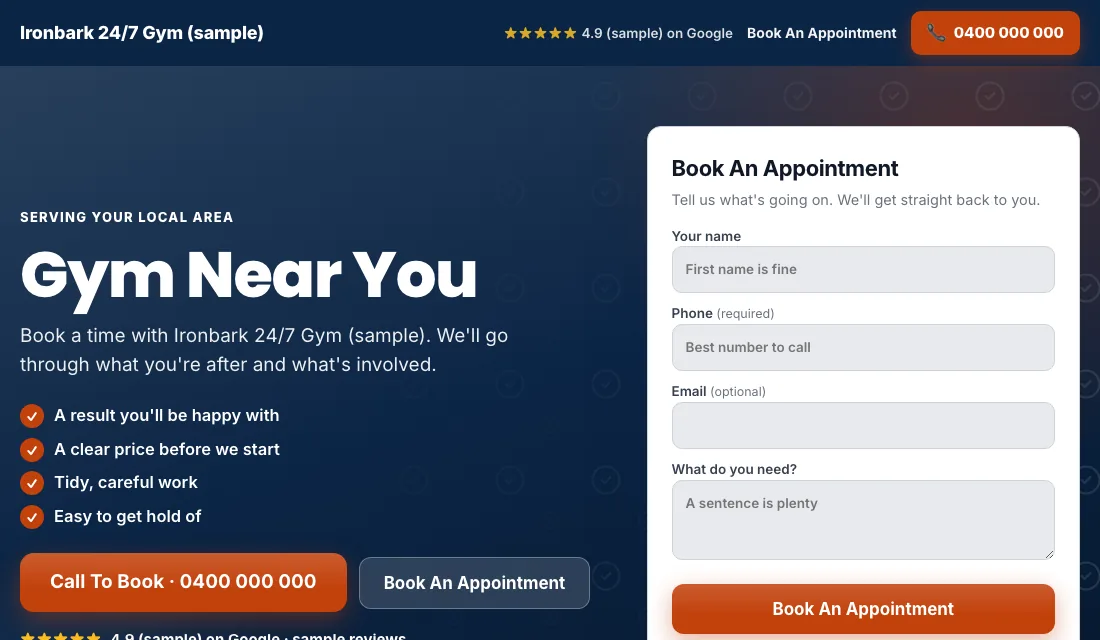
- A short form or sign-up button without scrolling: name, phone, what they're interested in.
- One clear offer: a tour, a trial pass, or join now.
- Real photos of your floor, your classes and your members, taken with their permission. Not stock models.
- Reviews from real members.
- Address, a map, parking and opening hours.
- Prices, or at least a starting price. People leave a gym page that hides the cost.
- No menu leading away.
- Fast on a phone.
Google scores how well keyword, ad and page match. A good match means cheaper clicks.
Many people look at a gym, leave and think it over. That is normal. Follow up every inquiry by phone or text the same day, and again a few days later.
Budget and bidding
Work out the budget from a member's worth, as in the FAQ below, then:
- Maximize Conversions from the start. With tracking working, Google bids toward inquiries and sign-ups. Leave it for two or three weeks.
- If a new account won't spend. Switch to Maximize Clicks with a cap on the bid per click. Go back once inquiries arrive.
- Target cost per inquiry. After about 30 conversions in 30 days, set a Target CPA 15 to 20 percent above your recent cost per inquiry. A target set too low makes Google stop showing ads. Lower it a little each month while sign-ups hold.
Never bid by hand. And don't judge the account on the first week of January or the last week of December. Both are unusual.
How to run Google Ads for gyms week by week and month by month
Weekly:
- Check search terms and block junk.
- Add searches that became members as exact match keywords.
- Mark each inquiry: toured, joined, or no-show.
- Chase the no-shows once more.
Monthly:
- Compare cost per inquiry and cost per new member for each ad group.
- Pause an ad group that spends without sign-ups.
- Test every form and the sign-up flow.
- Update the offer on each page if it has changed.
- Review bidding stage and budget.
Seasons and timing for gyms
- January: the new-year rush. Raise the budget in the last days of December, because people search before the first.
- Spring: the before-summer push. A second, smaller peak.
- Late summer and early fall: routines restart when school goes back.
- November and December: quieter. A good time to lower spend, test new ads and fix pages before January.
- Sunday evenings and Mondays: people plan a fresh start. Make sure ads and budget are live then.
Or have software do all of this
That is how to run Google Ads for gyms yourself: count sign-ups, keep the area to a short drive, give each way to join its own ads and page, block equipment and job searches, and tighten bidding as members come in. It takes a steady hour or two each week.
If the front desk is busy enough already, Local Service Ads AI does these steps every morning and asks before it changes anything, unless you tell it to go ahead. See Google Ads for gyms.