Before you spend: count calls and booking requests
Google's bidding chases what it can see. If it only sees clicks, it buys clicks, and in health topics there is an endless supply of people reading about symptoms.
A conversion is the action you want after a click. For a clinic that is a phone call, a booking form, or an appointment made in your online booking system.
- In Google Ads, open Goals, then Conversions, and create a new conversion action.
- Add one for calls from your ads and one for calls from your website. Set a minimum call length, so a wrong number isn't counted.
- Add one for your booking form or online booking, counted when the request is sent or the appointment is confirmed.
- Mark those primary, which means bidding uses them. Mark everything else secondary.
- Make a test call and a test booking. Check both show in Google Ads within a day.
Then keep a simple list of leads and mark each one: was it a real new-patient inquiry, did they book, did they show up? Keep it to that. Don't put health details into Google Ads or into any list you upload to it. With steady volume, you can send back which leads became booked new patients, so bidding learns from appointments and not from calls about your opening hours.
Account settings that stop a clinic wasting money
Set these three before you write an ad.
- Search only. In campaign settings, open Networks. Untick Search Partners and untick the Display Network. You want your ad on Google Search for "chiropractor near me".
- People in your area. Open Locations and add the neighborhoods, cities or zip codes around the clinic. In Location options, choose "Presence: people in or regularly in your included locations". The default also reaches people who are only interested in your area.
- Auto-apply off. Open Recommendations, find Auto-apply, and turn every box off. Left on, Google can add keywords and new ad text without asking. For a health business, you want to read every word first.
Keep the area close. A patient comes back several times, so they pick a clinic near home or work.
Set your ad schedule to the hours the front desk answers. If you take online bookings, you can also run early mornings and evenings, when people with sore backs search before and after work.
How to structure the campaign: one condition per ad group
An ad group is a set of keywords that share the same ads. Each thing you treat gets its own ad group and its own landing page, so a neck search sees a neck ad.
| Ad group | Example searches | Landing page |
|---|---|---|
| Chiropractor, general | chiropractor near me, chiropractic clinic | Your new patient page |
| Lower back pain | chiropractor for lower back pain, back pain chiropractor near me | Your back pain page |
| Neck pain | chiropractor for neck pain, neck pain treatment near me | Your neck pain page |
| Headaches | chiropractor for headaches | Your headache page |
| Sciatica | sciatica chiropractor near me | Your sciatica page |
| Sports injuries | sports chiropractor near me | Your sports injury page |
Only build ad groups for what you treat and want more of. If you don't see children or don't take auto accident cases, leave those out and block them.
Keywords: what a person ready to book types
A keyword is the phrase you give Google. A search term is what the person typed. You pay for the search term.
Ready-to-book searches include the word chiropractor, or a symptom joined to a booking word:
- chiropractor near me
- chiropractor open saturday
- chiropractor for lower back pain
- sciatica treatment near me
- walk in chiropractor
Symptom-only searches, such as "lower back pain causes", are people reading. Don't use them as keywords.
Match types set how loosely Google matches:
- Exact match shows your ad for that search or one with the same meaning.
- Phrase match shows your ad when the search includes the meaning of your phrase, with other words around it.
- Broad match shows your ad for anything Google finds related. Here that means stretches, pillows and symptom articles. Leave it for now.
Start with phrase and exact. Each week, add the search terms that became booked new patients as exact match keywords in the right ad group.
Searches to block from day one
A negative keyword is a search you block. Add these at the account level before the first click:
- Job seekers: jobs, salary, hiring, careers, assistant jobs.
- Students: degree, school, college, university, course, how to become.
- DIY: how to, crack your own, stretches, exercises, at home, video.
- Gadget shoppers: back cracker, posture corrector, massager, pillow, brace, table for sale.
- Readers: causes, symptoms, what is, definition, side effects.
- Other professions, if you don't offer them: massage, physical therapy, acupuncture.
- Animals: dog, horse, equine, unless you treat them.
- Other clinics' names: that person already has a chiropractor.
Think before blocking "free" or "cost". Someone searching "chiropractor cost" may be about to book. Watch those in your search terms first.
Add each as a phrase match negative, trimmed to the core word. Block "salary", not "chiropractor salary by state".
Then check the search terms. Every day or two for the first two weeks, then weekly:
- Open the search terms report under Insights and reports.
- Sort by cost, highest first.
- Ask: is this a person looking for an appointment?
- If not, block the core word.
Writing the ads, in careful words
A responsive search ad takes up to 15 headlines and 4 descriptions, which Google mixes. Fill in as many as you can.
- Say what you are and where: "Chiropractor in" your city, "Chiropractor Near You".
- Name the problem in that ad group: "Lower Back Pain?", "Neck Pain Appointments".
- Give facts that help someone choose: same-week appointments, early and late hours, online booking, parking, insurance plans you accept. Only what is true.
- End with the next step: "Book online or call today."
Be careful with claims. Don't promise a cure, a result or a number of visits. Don't claim to treat conditions you can't support. You are responsible for what your ads say, so check your own regulator's advertising rules before they go live. Because Google mixes headlines, read them in different combinations and make sure no pairing makes a promise you wouldn't.
Add the extras, which Google calls assets:
- Call asset: your number on the ad for tap-to-call.
- Sitelinks: at least four, such as "Book Online", "New Patients", "Back Pain" and "Hours and Location".
- Callouts: short phrases such as "Same-Week Appointments", "Open Saturdays" or "Online Booking".
- Location asset: link your Google Business Profile so your address shows on the ad.
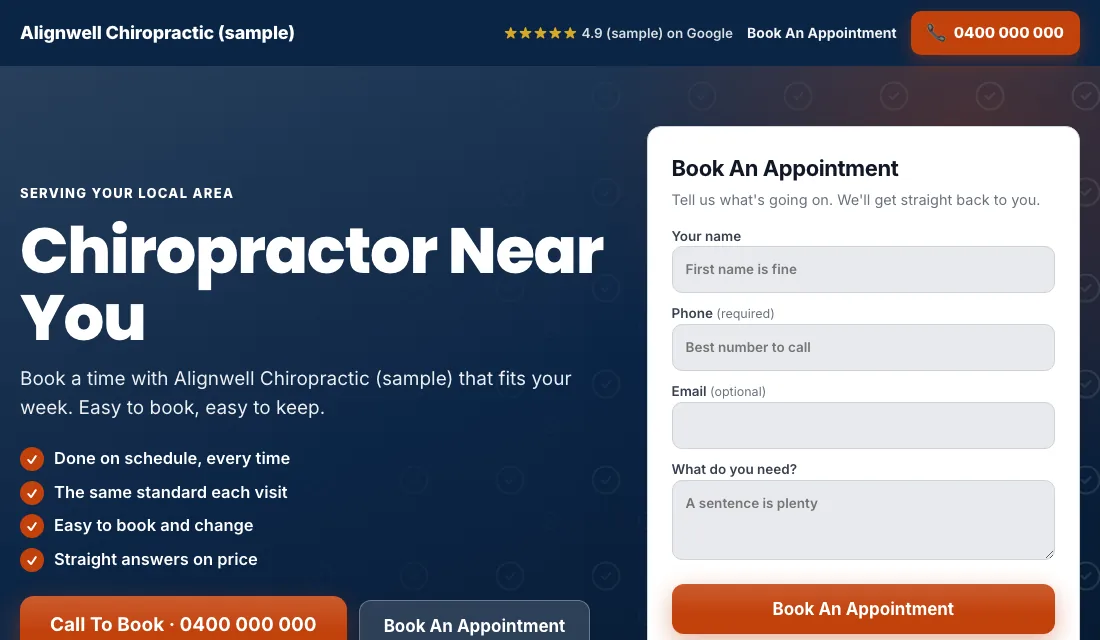
The landing page: one problem per page
Build one page per ad group and check each:
- The headline names the problem and the place: "Chiropractor for Neck Pain in" your city.
- The phone number is at the top and starts a call when tapped.
- A booking form or button shows without scrolling: name, phone, and a preferred time. Don't ask for medical history on an ad landing page.
- A real photo of you and the clinic. People want to see who will be treating them.
- What a first visit involves, how long it takes and what it costs, if you can state it.
- Your qualifications and registration.
- Reviews only if your rules allow them.
- No menu and no links away.
- It loads fast on a phone. Someone with a sore back at 7 a.m. is searching from bed.
Google scores how well keyword, ad and page match. A closer match earns a higher score, and a higher score lowers what you pay for the same spot.
Budget and bidding for new patients
Start from your own numbers. How many new patients do you want each month, how many inquiries does it take to get one booked, and what can you pay for an inquiry? Remember a new patient usually returns, so think about the value over several visits, not only the first.
- Conversions from the start. With tracking working, start on Maximize Conversions, so Google bids toward calls and bookings. Give it two or three weeks.
- If a new account won't spend. A new account can stall with no history. Use Maximize Clicks with a cap on the bid per click, and return to Maximize Conversions once inquiries arrive.
- A target cost per lead. After about 30 conversions in 30 days, set a target cost per lead, which Google calls Target CPA, 15 to 20 percent above what leads have cost. Too tight a target stops the ads. Lower it a little each month while bookings hold.
Never bid by hand, and don't change bids or budgets on a week of data.
How to run Google Ads for chiropractors on a routine
Every week:
- Check the search terms and block readers, students and shoppers.
- Add searches that became new patients as exact match keywords.
- Mark every lead: booked, showed, or junk.
- Call back missed calls the same hour. A person in pain books the first clinic that answers.
Every month:
- Compare cost per inquiry and cost per new patient for each ad group.
- Pause an ad group that spends and never books.
- Make a test call and a test booking to confirm tracking works.
- Re-read your ads against your advertising rules.
- Check hours, address and phone number on every page.
Seasons and timing for chiropractors
Chiropractic demand is steadier than most trades, with a few lifts.
- January: new year, new routines, and people finally dealing with a problem they put up with last year.
- Spring: yard work and the return to outdoor sport bring strains.
- Fall: school sports and the back-to-work routine after summer.
- Cold, icy weeks: shoveling and slips.
- Late in the year: in places where insurance benefits reset each year, some patients book before they lapse.
Timing within the week matters more. Searches peak early in the week and outside office hours. If your Monday is always full, shift budget toward the days you have openings, using the ad schedule.
Or have software do all of this
That is how to run Google Ads for chiropractors by hand: count every booking, lock the settings, keep each condition in its own ad group with its own page, block the readers and shoppers weekly, and step up your bidding as the data grows. It works, and it takes time every week.
If you'd rather spend that time with patients, Local Service Ads AI does these steps for you every day. New campaigns start switched off and every ad is written out for you to read first. It doesn't check your ads against your regulator's rules, so that part stays with you. See Google Ads for chiropractors.