Before any ad runs: count calls and booking requests
Google's bidding aims at whatever it can count. If it can't see which clicks turned into calls and bookings, it buys whatever clicks cost least. For a repair shop, those are people watching how-to videos and pricing parts.
A conversion is an action you want from a click. For a shop, that is a phone call or a booking request.
- In Google Ads, open Goals, then Conversions, and create a new conversion action.
- Add one for calls from your ads and one for calls from your website. Set a minimum call length so wrong numbers don't count.
- Add one for your booking or quote form, counted when it is sent. If you use an online booking tool, count the confirmed booking.
- Mark these as primary, which means bidding uses them. Mark the rest as secondary.
- Make a test call and a test booking. Both should show up in Google Ads within a day.
Then track what happened next. In your shop system or a simple list, mark each lead: did you quote it, did the car come in, and what was the repair order worth? A brake job and a caller asking if you sell wiper blades are both "one call" to Google. Once volume is steady, upload the quoted and booked leads to Google Ads so bidding learns from cars that came through the door.
Three settings that stop a repair shop wasting money
Fix these before you write an ad.
- Search only. In campaign settings, open Networks. Untick Search Partners and untick the Display Network. You want to appear on Google Search when a driver types "brake repair near me".
- Drivers who are in your area. Open Locations and add the zip codes around the shop. Then open Location options and select "Presence: people in or regularly in your included locations". The default also includes people who only showed interest in your area.
- Auto-apply off. Open Recommendations, then Auto-apply, and switch off every box. Otherwise Google can add keywords and change bidding without asking.
Keep the area tight. A driver has to drop the car off and get to work, so few will cross town for an oil change.
Set the ad schedule to match the front desk. Run ads while someone can answer the phone, and a little before opening, since many people call the minute a shop opens.
How to structure an auto repair campaign
An ad group is a set of keywords that share the same ads. Keep one service per ad group, and one landing page per ad group. A driver with squealing brakes should see a brake ad and a brake page.
| Ad group | Example searches | Landing page |
|---|---|---|
| Brakes | brake repair near me, brake pad replacement | Your brake page |
| Oil change and maintenance | oil change near me, scheduled maintenance | Your maintenance page |
| Clutch and transmission | clutch replacement, transmission repair | Your clutch page |
| A/C | car ac repair, ac recharge near me | Your A/C page |
| Inspections | state inspection near me, emissions test | Your inspection page |
| Check engine and diagnostics | check engine light diagnosis, car diagnostic | Your diagnostics page |
| General | mechanic near me, auto repair shop | Your shop page |
Inspection names vary by state, and some states have none. Use the name drivers use where you are.
Only build ad groups for work you want. If you don't do body work, tires or detailing, leave them out and block those words.
Keywords a driver types when the car needs work
A keyword is the phrase you ask Google to match. A search term is what the driver really typed. You pay for the search term.
Ready-to-book searches name the repair and usually say "near me" or a town:
- mechanic near me
- brake repair near me
- oil change near me
- car ac repair
- clutch replacement
- check engine light diagnosis
Keep each ad group to a short list of close phrases, and add your city to a few.
Match types tell Google how loosely to match:
- Exact match shows your ad only for that search or one with the same meaning.
- Phrase match shows your ad when the search includes the meaning of your phrase, with other words before or after.
- Broad match shows your ad for whatever Google thinks is related. Leave it alone for now.
Start with phrase and exact match. Every week, see which search terms became bookings and add them as exact match keywords in the right ad group. Over a few months the account fills with searches that have already put cars in your bays.
Searches a shop should block from day one
A negative keyword is a search you block. Car repair words attract home mechanics, parts shoppers and job hunters. Add these as account-level negatives before the first click:
- DIY: how to, diy, video, diagram, torque, manual.
- Parts shoppers: parts, for sale, used, junkyard, salvage, and the names of the parts chains near you.
- Job seekers: jobs, hiring, salary, apprenticeship, careers.
- Students: school, course, training, certification.
- Other problems: recall, warranty, lawsuit.
- Jobs you don't do: for example body work, detailing, towing.
Dealer names are worth a thought. A driver searching a dealership's service department by name has usually chosen, so most shops block those too.
Add each as a phrase match negative, trimmed to the core word. "Apprenticeship" covers every version of that search.
Then do the search-term check. Every day or two for the first two weeks, weekly after that:
- Open the search terms report under Insights and reports.
- Sort by cost, highest first.
- Ask of each search: would I want that car booked in?
- If not, block the core word.
Writing ads that get the car booked in
A responsive search ad takes up to 15 headlines and 4 descriptions, which Google mixes. Fill in as many as you can.
- Name the repair: "Brake Repair", "A/C Not Cold? We Fix It".
- Name the area: your town or neighborhood.
- Give a true reason to choose you: certified technicians, written estimate before work starts, warranty on parts and labor, a ride or loaner if you offer one.
- End each description with the next step: "Call or book online today."
Write one ad for each ad group, about that service only. After a few weeks, add a second ad and let them compete.
Then add the extras, called assets:
- Call asset: your number on the ad for tap to call.
- Sitelinks: at least four, such as "Book a Service", "Brakes", "Inspections" and "Reviews".
- Callouts: short phrases such as "Written Estimates", "All Makes and Models" or "Same-Day Service", if true.
The landing page: one repair per page
The page is where the driver decides whether to call you or go back and click the next shop.
- The headline matches the search. A "brake repair" ad lands on a page headed brake repair.
- Phone number at the top, tap to call.
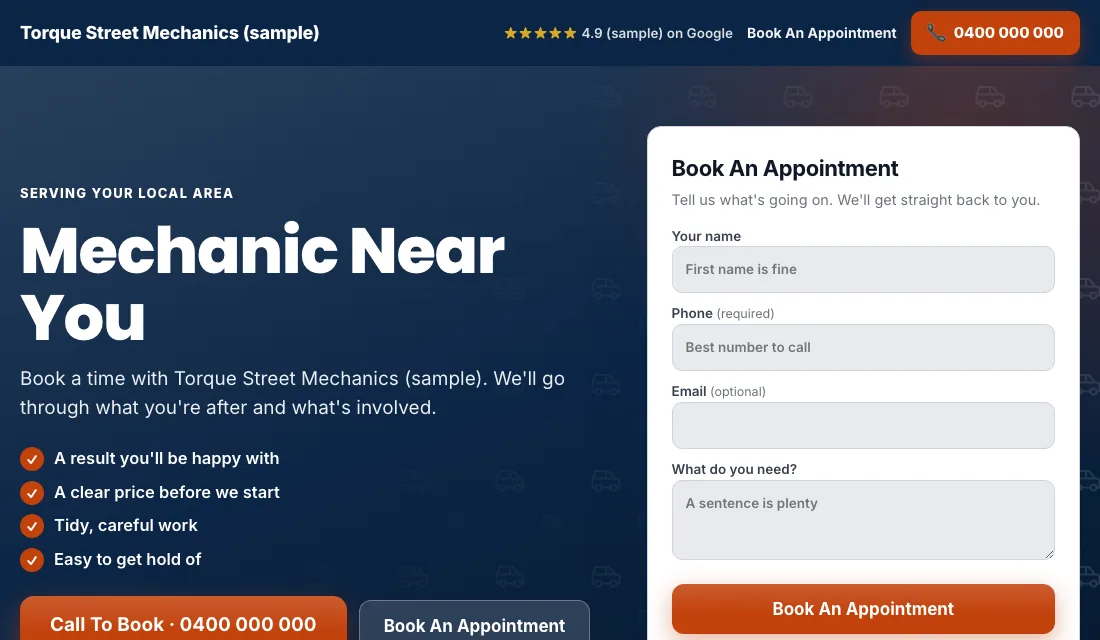
- A short booking form near the top: name, phone, vehicle and what it needs.
- Photos of your real shop, your bays and your team.
- Reviews near the top.
- What happens next in plain words: drop off, estimate, your OK, repair.
- Your hours and address, with a map.
- No menu and no links leading away.
- Fast on a phone. Some drivers are searching from the shoulder of the road.
Google scores the match between keyword, ad and page. A closer match earns a better score, and a better score means cheaper clicks.
Budget and bidding as the bays fill
Set the budget from the shop's numbers. How many more cars a week can you take? What can you afford to pay for one lead? Multiply, then fund it for a couple of months.
Bidding moves in stages:
- Start on Maximize Conversions. Once tracking works, launch on this. Google bids toward calls and bookings. Leave it for two or three weeks before judging.
- Fallback for an account that won't spend. Brand-new accounts sometimes stall. Switch to Maximize Clicks with a cap on the bid per click, then return to Maximize Conversions when leads are coming in.
- Target cost per lead. After about 30 conversions in 30 days, set a target, which Google calls Target CPA. Start 15 to 20 percent above what a lead has cost you. Too tight and Google stops spending. Bring it down a little each month while bookings hold.
Don't set bids by hand. Don't change the budget because of one quiet week.
How to run Google Ads for mechanics, week by week
Every week:
- Check the search terms. Block DIY, parts and job searches.
- Add searches that became bookings as exact match keywords.
- Mark each lead: quoted, booked or junk.
- Look at which days the bays were empty. That tells you which service to push.
Every month:
- Compare cost per lead and cost per booked car across ad groups.
- Pause an ad group that spends and never books.
- Test the phone number and the booking form.
- Check hours and address are still right on every page.
- Review the budget and bidding stage.
Seasons in the shop
Car repair follows the weather and the calendar.
- First hot week: A/C searches jump. Have the A/C ad group ready before it arrives.
- Before summer and holiday road trips: maintenance, brakes and pre-trip checks.
- First cold snap: batteries, heaters and cars that won't start.
- Inspection deadlines: if your state ties inspections to registration, demand follows those dates all year.
- Tax refund season: many drivers finally do the repair they have been putting off.
Within the week, use the ads to fill your quiet days. If Mondays are empty, mention early-week openings in the ad.
Or have software do all of this
That is how to run Google Ads for mechanics by hand: count every call and booking, keep the area tight, give each repair its own ad group and page, block the DIY and parts searches weekly, and step up the bidding as data grows. It works, and it takes time every week.
If you would rather spend that time in the shop, Local Service Ads AI does these steps every morning and sends one short email about what it found. Nothing changes without your OK unless you tell it to go ahead. See Google Ads for mechanics.