Start with tracking: every call and quote request counted
Google decides who sees your ad based on what you tell it a good result is. If you tell it nothing, it chases clicks. The cheap clicks in electrical work come from students and people looking up how to wire a switch.
A conversion is the result you want from a click. For an electrician, that is a phone call or a quote request form.
- In Google Ads, open Goals, then Conversions, and add a new conversion action.
- Create one for calls straight from the ad and one for calls from your website.
- Set a minimum call length. A real "my breaker keeps tripping" call takes a minute or more. A wrong number takes ten seconds.
- Create one for your quote form, counted when it is sent.
- Mark those as primary so bidding uses them. Anything else in the list, such as page views, goes to secondary.
- Call your own ad number and send a test form. Both should show in Google Ads within a day.
Now add the part most people skip. Keep a list of every lead and mark each one: could you quote it, did you book it, and roughly what was it worth? A panel upgrade and a caller asking if you sell light bulbs both count as "one call" to Google. When you have steady volume, upload the quoted and booked leads so bidding learns from jobs, not from rings.
Three account settings that stop waste
- Search only. In the campaign's Networks setting, untick Search Partners and untick the Display Network. Your ad should show on Google Search to someone typing "electrician near me", not on other websites.
- People in your service area. Under Locations, add the cities or zip codes you drive to. Under Location options, choose "Presence: people in or regularly in your included locations". The default includes people merely interested in your area, who may be several states away.
- Auto-apply off. Go to Recommendations, open Auto-apply, and turn every box off. Otherwise Google can add broad keywords and change bidding on its own.
Then set the schedule. A tripping breaker gets searched at 9 p.m. and an EV charger gets searched on a Saturday afternoon. If you answer after-hours calls, run all hours. If the phone goes to voicemail at 6, stop the ads at 6.
How to run Google Ads for electricians with one job per ad group
An ad group is a set of keywords that share the same ads. Give each kind of job its own ad group and its own landing page. Someone searching for an EV charger then sees an EV charger ad and lands on an EV charger page.
| Ad group | Example searches | Landing page |
|---|---|---|
| Panel upgrades | electrical panel upgrade, fuse box replacement | Your panel page |
| Breakers and faults | breaker keeps tripping, electrician for power outage | Your fault-finding page |
| EV chargers | ev charger installation, home car charger electrician | Your EV charger page |
| Ceiling fans and lighting | ceiling fan installation, light fixture installation | Your fans and lighting page |
| Outlets and switches | outlet installation, electrician to add outlets | Your outlets page |
| Emergency electrician | emergency electrician, 24 hour electrician | Your emergency page |
The mistake to avoid is one ad group with every electrical keyword you can think of, all pointing at the home page. The searcher with a dead panel reads an ad about ceiling fans, and Google charges you more for the poor match.
Build ad groups only for work you want. New construction, commercial fit-outs and solar stay out unless you do them and want more.
Keywords a ready-to-hire customer types
The keyword is what you give Google. The search term is what the person typed. Your job is to keep those two close.
Searches from people ready to hire an electrician name the job:
- electrician near me
- electrical panel upgrade
- ev charger installation
- ceiling fan installation
- breaker keeps tripping electrician
- emergency electrician
Add your city to some of them. Five to ten close phrases per ad group is plenty.
Match types set how far Google can stretch:
- Exact match: only that search, or one meaning the same thing.
- Phrase match: searches that include your phrase's meaning, with extra words around it.
- Broad match: anything Google considers related. For "electrician" that includes schools, wages and wiring diagrams. Skip it for now.
Launch with phrase and exact. Every week, find the search terms that became booked jobs and add them as exact match keywords in the right ad group. That is how you win the same kind of job again.
Searches to block from day one
A negative keyword blocks a search. "Electrician" is typed by far more people than want one at their door. Before any ad runs, add these at the account level:
- Job seekers: jobs, salary, hiring, careers, apprenticeship, union.
- Students: course, school, training, license, exam, certification.
- DIY: how to, diy, diagram, video, wiring guide.
- Shoppers: parts, supply, wholesale, for sale, home depot.
- Work you don't do: solar, generator, commercial, or whatever you turn away.
- Other electricians' business names.
Add each as a phrase match negative, cut down to its core word. "Apprenticeship" blocks every search that contains it. A long phrase blocks only itself.
The search-term check keeps the list growing. Look every day or two in the first two weeks, then weekly:
- Open the search terms report under Insights and reports.
- Sort by cost, highest first.
- Ask of each: would I want that call?
- If not, block the core word.
Writing the ads
A responsive search ad holds up to 15 headlines and 4 descriptions. Google tests combinations, so give it plenty.
- Say the job: "Panel Upgrades", "EV Charger Installation".
- Say the place: your city or "Near You".
- Say why to call you: licensed and insured, upfront pricing, same-day service. Claim only what is true.
- End descriptions with an action: "Call now for a free quote."
One ad per ad group to start, written about that job alone. After a few weeks add a second and let them compete.
Add the extras Google calls assets, which make the ad larger at no extra cost per click:
- Call asset: your number on the ad for tap-to-call.
- Sitelinks: four or more, such as "Get a Quote", "EV Chargers", "Reviews" and "Service Areas".
- Callouts: "Licensed and Insured", "Clean, Tidy Work", "Upfront Pricing".
A landing page for each electrical job
Don't send clicks to your home page. Build one page per ad group and check each against this list:
- The headline repeats the search. An "EV charger installation" click lands on a page headed EV charger installation.
- Phone number at the top, and it dials when tapped.
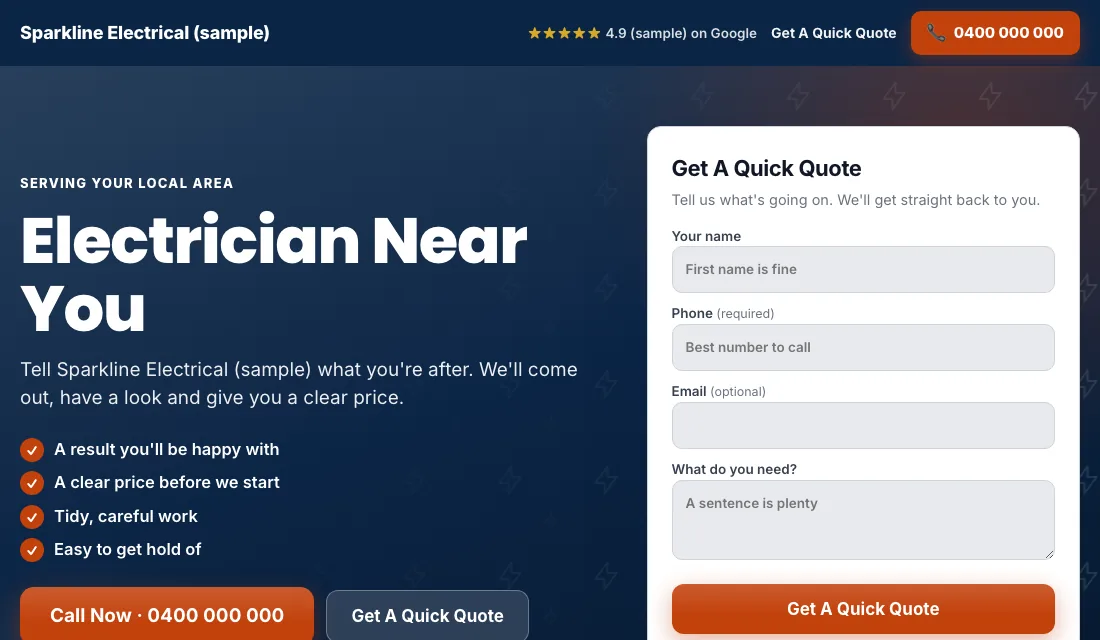
- A short quote form visible without scrolling: name, phone, the job.
- Real photos: you, your van or truck, a finished panel, a charger on a garage wall.
- Real reviews near the top.
- Your license number, if your state issues one. People check.
- No menu and no links away from the page.
- Fast on a phone.
Google scores how closely the keyword, ad and page match. A higher score buys the same position for less.
Budget and bidding, stage by stage
Set the budget from your numbers: leads needed each month, times what you can pay for one. Commit for a couple of months.
- Maximize Conversions from the start. Once tracking works, let Google bid toward calls and forms. Give it two or three weeks before judging.
- If the account won't spend. A new account with no history sometimes sits idle. Use Maximize Clicks with a cap on each click's bid to get going, then return to Maximize Conversions when leads appear.
- A target cost per lead. After about 30 conversions in 30 days, set a Target CPA. Start 15 to 20 percent above your recent cost per lead. Too tight a target and Google stops spending. Bring it down a little each month while leads hold up.
Never bid by hand, and never react to a single week.
Your weekly and monthly checklist
Weekly:
- Review search terms and block junk.
- Add searches that became jobs as exact match keywords.
- Mark each lead quoted, booked or junk.
- Return missed calls fast. The homeowner with no power is calling three electricians.
Monthly:
- Compare cost per lead and cost per booked job by ad group.
- Pause any ad group that spends without booking.
- Test your tracking with a call and a form.
- Check each landing page loads and shows the right number.
- Review bidding stage and budget.
Seasons and timing for electricians
Electrical work is steadier than heating or roofing, but it has patterns.
- Summer heat: air conditioners push old panels and breakers past their limit. Fault and panel searches rise.
- Storm season: outages, surge damage and emergency calls.
- Before the holidays: outdoor outlets, lighting and anything guests will notice.
- Spring and fall: ceiling fans, renovations and planned upgrades.
- Any weekend: EV charger research. People buy the car, then look for an installer.
Put budget behind the ad group that matches the season, a few weeks ahead of it.
Or have software handle it
Now you know how to run Google Ads for electricians yourself: track the leads, fix the settings, one job per ad group, block junk weekly, and move bidding up as data arrives. It is steady work, every week.
If you would sooner be on the tools, Local Service Ads AI does this each morning and asks before it changes anything, unless you tell it to go ahead. See Google Ads for electricians.