Before you spend: track quotes, not just clicks
A bathroom remodel is a big, slow sale. You might sign only a few jobs a month from ads, so every lead has to be counted, and you have to know which ones became signed work.
A conversion is the action you want after a click. For a remodeler, that is a phone call or a quote request form.
- In Google Ads, open Goals, then Conversions, and create a new conversion action.
- Add one for calls from your ads and one for calls from your website. Set a minimum call length, so a supplier's sales call or a wrong number doesn't count.
- Add one for your quote form, counted when the form is sent.
- Mark those primary, which means bidding uses them. Mark everything else, such as gallery views, as secondary.
- Make a test call and send a test form. Check both show up in Google Ads within a day.
Then keep a list of every lead with four notes: could you quote it, did you visit, did they sign, and what was the job worth? A full master bath and a question about shower door prices both count as "one form" to Google. When you have enough volume, upload the quoted and signed leads so bidding learns from real jobs.
Account settings that stop a remodeler wasting money
Three settings matter more than any keyword.
- Search only. In campaign settings, open Networks. Untick Search Partners and untick the Display Network. You want your ad on Google Search when someone types "bathroom remodelers near me".
- People in your area. Open Locations and add the cities or zip codes you work in. In Location options, pick "Presence: people in or regularly in your included locations". The default also reaches people only interested in your area, and for a renovation word that can mean people browsing ideas from anywhere.
- Auto-apply off. Open Recommendations, find Auto-apply, and turn every box off. Otherwise Google can add keywords such as "bathroom ideas" for you.
Choose your area with care. A remodel means weeks of daily trips. Start with the neighborhoods where the homes suit your work and the drive is short.
Set your ad schedule to the hours someone can answer or call back within the hour.
How to run Google Ads for bathroom renovations: remodels and repairs apart
An ad group is a set of keywords that share the same ads. Keep one kind of job per ad group, with one landing page each. People search very differently for a leak and for a whole new bathroom.
| Ad group | Example searches | Landing page |
|---|---|---|
| Full bathroom remodel | bathroom remodeling near me, bathroom renovation contractor | Your full remodel page |
| Master bathroom | master bath remodel, master bathroom renovation | Your master bath page |
| Shower remodel | shower remodel, tub to shower conversion | Your shower page |
| Accessible bathrooms | walk in shower for seniors, accessible bathroom remodel | Your accessible bathroom page |
| Leaking shower repair | leaking shower repair, shower leak repair near me | Your leak repair page |
| Laundry rooms | laundry room remodel | Your laundry room page |
Consider two campaigns: one for remodels and one for leak repairs. They have different budgets and different speeds. A leak lead books this week. A remodel lead books this season.
Only build ad groups for jobs you want. If you don't take single-fixture swaps, leave them out.
Keywords: what a homeowner ready to renovate types
A keyword is the phrase you give Google. A search term is what the person typed. You pay for the search term.
Ready-to-hire searches name the job plus a word that shows they want a company:
- bathroom remodelers near me
- bathroom renovation contractor
- shower remodel company
- tub to shower conversion
- leaking shower repair
Words such as contractor, company, remodelers, near me and your city are the sign of a buyer. Words such as ideas, designs and pictures are the sign of someone planning.
Match types set how loosely Google matches:
- Exact match shows your ad for that search or one with the same meaning.
- Phrase match shows your ad when the search includes the meaning of your phrase, with other words around it.
- Broad match shows your ad for anything Google finds related. For this trade, that is vanities, tile stores and idea galleries. Leave it for now.
Start with phrase and exact. Each week, note which search terms became quote visits and signed jobs. Add those as exact match keywords in the right ad group.
Searches to block from day one
A negative keyword is a search you block. Bathroom words attract shoppers and dreamers. Add these at the account level before the first click:
- Fixture shoppers: for sale, sale, vanity, faucet, buy, showroom, store, clearance.
- DIY: how to, diy, tutorial, video, waterproof yourself.
- Planners: ideas, designs, pictures, inspiration, design tool, planner, free.
- Students and job seekers: course, class, training, jobs, hiring, salary.
- Cost researchers: cost calculator, average cost. Watch these before blocking, since some become quotes.
- Other companies' names and the big home improvement stores.
A warning on "vanity" and "faucet": if you install them as part of a job, those words only waste money when joined to shopping words. If you'd rather keep them, block "vanity sale" and "vanity for sale" and leave the word itself alone.
Add each negative as phrase match, trimmed to the core word. Block "ideas", not "small bathroom ideas on a budget".
Then check the search terms. Every day or two for the first two weeks, then weekly:
- Open the search terms report under Insights and reports.
- Sort by cost, highest first.
- Ask: would I want to quote that?
- If not, block the core word.
Writing the ads
A responsive search ad takes up to 15 headlines and 4 descriptions, which Google mixes. Fill in as many as you can.
- Say the job: "Bathroom Remodeling", "Tub to Shower Conversions", "Leaking Shower Repair".
- Say the area: your city or "Near You".
- Say why you: licensed and insured, your own crew, a written quote, a clear timeline, a warranty. Only what is true.
- End with the next step: "Book a free in-home quote."
Write the leak ad to sound fast and the remodel ad to sound careful. A homeowner with water coming through a ceiling wants "this week". A family planning a master bath wants to know you finish on time.
Add the extras, which Google calls assets:
- Call asset: your number on the ad for tap-to-call.
- Sitelinks: at least four, such as "Our Work", "Shower Remodels", "Get a Quote" and "Reviews".
- Callouts: short phrases such as "Licensed and Insured", "Written Quotes" or "Our Own Crew".
- Image assets: your own before and after photos, where Google offers them.
The landing page: one bathroom job per page
Build one page per ad group. A person who searched for a leaking shower should not land on a gallery of new bathrooms.
- The headline matches the search.
- The phone number is at the top and starts a call when tapped.
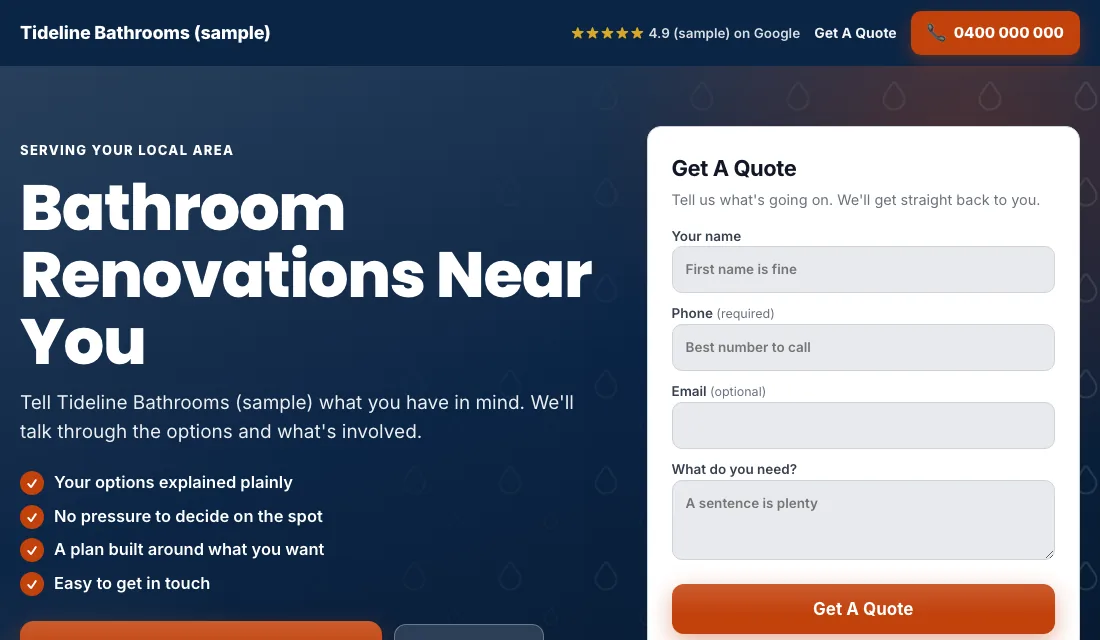
- A quote form shows without scrolling: name, phone, zip code, the kind of job, and when they want to start. That last question helps you sort serious leads.
- Before and after photos of your own jobs. This is the thing a remodeling customer looks at longest.
- Real reviews near the top.
- Three plain steps: visit, written quote, start date.
- Your license and insurance, stated simply.
- No menu and no links away.
- It loads fast on a phone, even with photos. Shrink the image files.
Google scores how well keyword, ad and page match. A closer match earns a higher score and a lower price for the same spot.
Budget and bidding for a slow, big sale
Work backward from your own numbers. How many jobs do you want from ads each quarter, how many quotes does it take to sign one, and how many leads to get a quote? That gives you the leads you need each month. Multiply by what you can afford per lead. Fund it for a few months, because the first signed job may come from a lead in week two that signs in week nine.
- Conversions from the start. With tracking working, start on Maximize Conversions. Google bids toward calls and forms. Give it two or three weeks before judging.
- If a new account won't spend. A new account can stall with no history. Use Maximize Clicks with a cap on the bid per click, and return to Maximize Conversions once leads arrive.
- A target cost per lead. After about 30 conversions in 30 days, set a target cost per lead, which Google calls Target CPA, at 15 to 20 percent above what leads have cost. Too tight a target stops the spending. Lower it a little each month while leads hold.
Remodeling accounts can take a while to reach 30 conversions in a month. That is normal. Stay on Maximize Conversions until you do. Never bid by hand.
A weekly and monthly routine for a remodeler
Every week:
- Check the search terms and block shoppers, planners and DIY.
- Add searches that became quotes as exact match keywords.
- Update each lead: quoted, signed, lost or junk.
- Call new leads the same day. The first remodeler to visit usually sets the bar.
Every month:
- Compare cost per lead and cost per signed job for each ad group.
- Pause an ad group that spends and never reaches a quote.
- Make a test call and send a test form to confirm tracking works.
- Add new job photos to the pages.
- Review your bidding stage and budget.
Seasons and timing for bathroom renovations
Bathrooms are indoor work, so you can build all year. The searching still has a pattern.
- New year: people start planning. Searches rise and so do idea-browsers, so watch your negatives.
- Spring: the main season for quotes. Have the budget up before it starts.
- Late summer and fall: people want the job finished before holiday guests arrive. Say your lead time in the ad if you can still meet it.
- Holiday weeks: quiet for remodels. Lower that budget, and keep the leak repair ads on.
- Wet or cold spells: leaks and failed seals show themselves. Leak searches are steady all year and jump after heavy use.
If your calendar is full for three months, say so on the page and keep a small budget running. A campaign that stops loses its history.
Or have software do all of this
That is how to run Google Ads for bathroom renovations by hand: track every lead through to a signed job, lock the settings, keep each kind of job in its own ad group with its own page, block shoppers every week, and step up your bidding as the data comes in. It works, and it takes time every week.
If you'd rather spend that time on the tools, Local Service Ads AI does these steps for you every day. Nothing changes without your OK unless you tell it to go ahead. See Google Ads for bathroom renovations.